
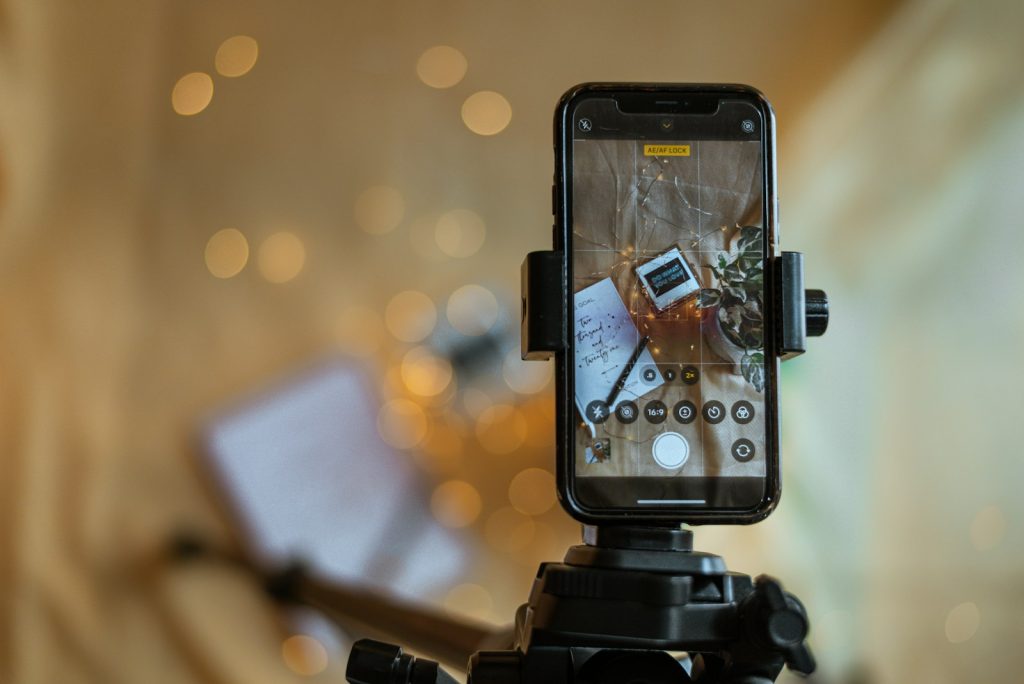
In online selling, your photo is your shop window. Customers cannot touch, smell or try your product – they decide from a few images on a small screen. Clear, attractive, honest photos build trust, reduce returns and increase sales. The good news is that you do not need an expensive camera. A modern smartphone, good light and a few inexpensive props can produce professional results.
This guide teaches you a practical home setup, lighting, composition, editing and the photo types every product listing needs.
Quick overview
- Light is everything: soft, diffused light beats expensive equipment.
- Simple backgrounds: white or neutral for catalogue shots; styled scenes for lifestyle shots.
- Stability: use a tripod or stable support.
- Shot list: front, back, sides, details, scale and in-use images.
- Edit lightly: correct brightness and colour; never misrepresent the product.
- Consistency: same style across your shop builds a brand.
Why product photos matter
Good photos:
- help customers understand size, colour and quality;
- make your page look professional and trustworthy;
- reduce “is it the same as the picture?” messages;
- lower returns caused by mismatched expectations.
Who this guide is for
- F-commerce sellers on Facebook and Instagram.
- Small online shops on WooCommerce, Shopify or marketplaces.
- Artisans and home businesses.
- Freelancers offering product photography services.
What you need
| Item | Low-cost option |
|---|---|
| Camera | Your smartphone (clean the lens!) |
| Light | A large window with indirect daylight |
| Diffuser | Thin white curtain, baking paper or white cloth |
| Reflector | White foam board, cardboard covered with foil or white paper |
| Background | White poster paper, fabric, wooden board, tiles |
| Support | Phone tripod or a stack of books |
| Editing | Snapseed, Lightroom Mobile or built-in editors |
Step-by-step setup
Step 1: Choose your light
Set up next to a large window during the day, but avoid direct harsh sunlight. If sunlight hits the window, hang a thin white curtain to soften it. Turn off room lights to avoid mixed colour tones.
Step 2: Create a sweep background
Tape a large sheet of white paper to a wall or box so it curves down onto the table. This “sweep” removes the line between wall and table and gives a clean look.
Step 3: Place the product and reflector
Put the product on the sweep a little away from the background to reduce shadows. Place a white reflector on the side opposite the window to lift shadows.
Step 4: Stabilise the phone
Use a tripod or books. Use the timer or a Bluetooth remote to avoid shake.
Step 5: Set the camera
- Clean the lens.
- Turn off flash.
- Tap to focus on the product; adjust exposure slightly if needed.
- Use the main (1x) lens or slight zoom (2x) to reduce distortion; avoid very wide angles close to the product.
- Shoot in the highest quality setting.
Step 6: Shoot your shot list
For each product:
- Hero shot: front view on clean background.
- Angles: back, sides, 45-degree view.
- Details: texture, stitching, material, labels.
- Scale: product held in hand or next to a common object.
- In use: worn, used or placed in a real setting.
- Variants: each colour or size option.
- Packaging: what customers receive.
Step 7: Style lifestyle shots
Use simple props that fit your brand – a cup of tea for a mug, a notebook for a pen set. Keep the product as the clear focus.
Editing: make it accurate, not fake
- Crop and straighten.
- Adjust brightness and contrast.
- Correct white balance so whites look white.
- Remove dust or small distractions.
- Keep colours true to the real product.
For marketplace listings that require pure white backgrounds, use background removal tools carefully and check edges. Never edit away defects or change colours – it causes returns and damages trust.
Photo requirements to check
Different platforms have different rules: minimum resolution, square or specific aspect ratios, white backgrounds for main images, and bans on text or watermarks in some cases. Check your platform’s image guidelines before shooting a full catalogue.
Composition tips
- Fill most of the frame with the product.
- Leave a little space around it for cropping.
- Use the rule of thirds for lifestyle shots.
- Keep backgrounds uncluttered.
- Shoot at the product’s natural viewing angle (eye level for bottles, top-down for flat items).
How good photos increase earnings
Better photos improve clicks, messages and conversion rates, and can justify higher prices. They also reduce time spent answering basic questions. Product photography can also become a service you offer to other sellers once you have a strong portfolio.
How you get paid (if offering photography as a service)
Local sellers commonly pay by bKash, Nagad or bank transfer. International clients can pay through freelance marketplaces or legal international transfers. See our payments guide.
A worked example (hypothetical)
A small handmade jewellery seller photographs earrings on a cluttered table under a yellow bulb. Customers keep asking about colours. She switches to a window setup with a white paper sweep, uses a folded white card as a reflector and shoots each pair from front, side, close-up and on a model’s ear. She edits lightly to correct white balance. Her Facebook page now looks consistent and professional, customer questions drop and more visitors place orders.
Common mistakes
- Using flash, causing harsh reflections and flat images.
- Mixed lighting (daylight plus yellow bulbs).
- Busy backgrounds.
- Blurry photos from hand shake.
- Heavy filters that change product colours.
- Only one photo per product.
Risks and safety
- Misrepresentation: inaccurate photos lead to complaints and returns.
- Copyright: never use other sellers’ or brands’ photos without permission.
- Model consent: get permission from anyone appearing in photos.
Pros and cons of DIY smartphone photography
| Pros | Cons |
|---|---|
| Very low cost | Requires practice to master |
| Full control and fast turnaround | Daylight dependence without lights |
| Consistent brand style | Some products (reflective, tiny) are challenging |
Realistic expectations
With a simple window setup and practice, most sellers can produce clean, professional product photos within a few sessions. Reflective items like jewellery and glass take more experimentation. Improvement is quick when you compare your photos with top sellers in your category.
Beginner tips
- Shoot at the same time of day for consistent light.
- Make a shot list for every product.
- Take many photos and choose the best.
- Keep a simple edit preset for consistency.
Advanced tips
- Invest in two affordable LED lights with softboxes for all-day shooting.
- Learn focus stacking or macro shots for detailed items.
- Create short product videos and GIFs.
- Build a style guide for your brand’s photos.
Frequently asked questions
Can a smartphone really produce professional product photos?
Yes, with good lighting, stable positioning and careful editing.
What is the best background for product photos?
White or neutral backgrounds work for catalogues; styled backgrounds suit social media lifestyle shots.
How do I photograph shiny products?
Use large, soft light sources and white cards to control reflections; avoid direct flash.
Should I remove the background?
For marketplaces requiring white backgrounds, yes – carefully. For social media, natural backgrounds often look more authentic.
How many photos should each product have?
Several: front, angles, details, scale and in-use images at minimum.
Final step
Set up a window and white paper sweep today and photograph one product using the full shot list. Compare the results with your old photos. For more e-commerce help, explore our e-commerce guides.