
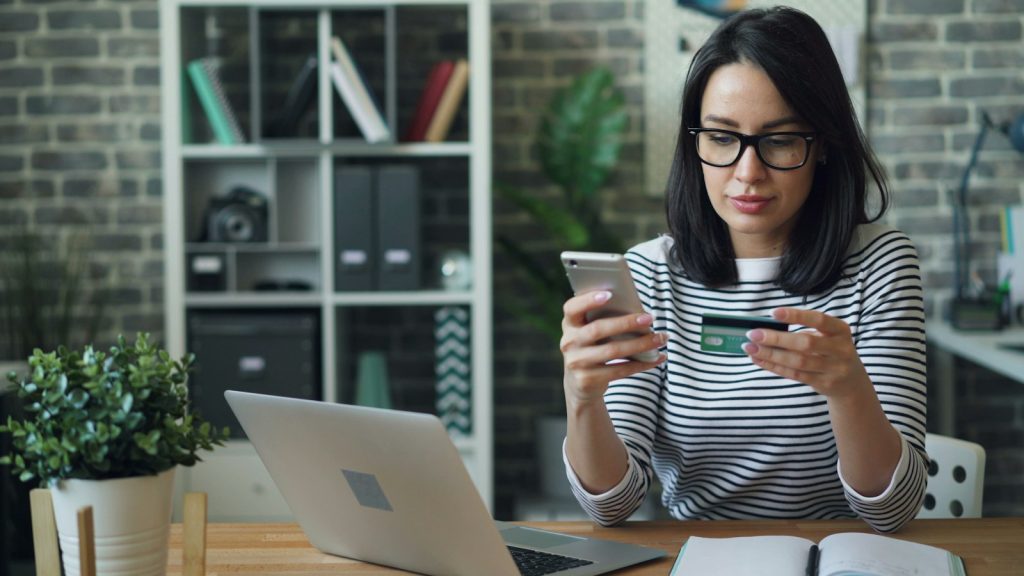
For many Bangladeshi freelancers, Payoneer is the bridge between international platforms and a local bank account. It is widely used by marketplaces and can receive payments in several currencies, then send them to your bank in taka. Setting it up correctly the first time saves weeks of frustration – most problems come from small mistakes during sign-up.
This guide walks you through the process from registration to your first withdrawal, explains the costs to watch and lists the mistakes that cause rejected or frozen accounts.
Quick overview
- What it is: an international payment account that receives marketplace payouts and some client payments, and withdraws to local bank accounts.
- Who needs it: freelancers on platforms that pay via Payoneer, and some sellers and remote workers.
- What you need: NID or passport, a bank account in your own name, a mobile number and email, and accurate address details.
- Costs: fees for some transactions and currency conversion, plus an annual account fee in some cases. Always check Payoneer’s current pricing page.
- Golden rule: your name must match exactly across your ID, Payoneer and bank account.
What Payoneer is and how it works
Payoneer is a financial services company that lets businesses and freelancers receive money from abroad. When a marketplace such as Fiverr pays you through Payoneer, the funds land in your Payoneer balance. From there, you can withdraw to a Bangladeshi bank account, where the money arrives in BDT as foreign remittance. Some users can also withdraw to a bKash wallet through a partnership between the two companies.
Payoneer may also offer eligible users receiving account details for certain currencies, so clients can pay them by local bank transfer in those countries. Availability depends on your account and profile.
Who should open a Payoneer account
- Fiverr sellers and freelancers on other platforms that list Payoneer as a payout method.
- Freelancers who work on several platforms and want one place to collect earnings.
- Some remote contractors whose clients support Payoneer.
If you only work on Upwork, you might also consider Upwork’s “Direct to Local Bank” option; compare both. See our payment options guide.
Requirements
- Identity document: NID card (both sides) or passport, clear and valid.
- Personal details: full legal name, date of birth – exactly as on your ID.
- Address: your current residential address, written consistently.
- Contact: a mobile number and email you control long-term.
- Bank account: in your own name at a Bangladeshi bank that receives foreign remittance, with the account number, branch and routing number.
- Possibly: proof of address or information about your freelance activity, if requested.
Step-by-step setup
Step 1: Sign up through your marketplace (recommended)
If your marketplace supports Payoneer, start from the platform’s payment or withdrawal settings and choose Payoneer. This links your marketplace and Payoneer accounts correctly. Otherwise, sign up on Payoneer’s official website – type the address yourself; do not use links from messages.
Step 2: Choose the right account type
Select the option that fits you – typically freelancer or individual. Describe your work honestly (for example, “graphic design services via Fiverr”).
Step 3: Enter personal details carefully
- Use your full name exactly as on your NID.
- Enter your date of birth correctly.
- Write your address clearly and consistently.
A mismatch between your ID and entered details is the most common reason for delays.
Step 4: Set up security
Create a strong password and security questions you will remember. Enable two-step verification. Never share these with anyone.
Step 5: Add your bank account
Enter your bank name, branch, account number and routing number. The account holder name must match your Payoneer name. Double-check every digit.
Step 6: Submit and complete verification
Payoneer reviews your application. You may be asked to upload your ID or other documents. Upload clear, uncropped images. Respond promptly to requests.
Step 7: Receive your first payment
Once approved, set Payoneer as the payout method on your marketplace and withdraw your available balance.
Step 8: Withdraw to your bank (or bKash)
In Payoneer, choose “Withdraw to bank account”, select your bank and amount, and review the exchange rate and fee before confirming. If eligible, you can choose the bKash option instead. Your bank may contact you to confirm the source of the funds.
Costs to understand
| Cost | What it means |
|---|---|
| Receiving fees | Depend on the source; marketplace payouts often have their own rules |
| Currency conversion | A percentage charged when converting to BDT for withdrawal |
| Annual account fee | May apply if you receive less than a set amount in 12 months |
| Card and other services | Separate fees if you use them |
Fees change – read Payoneer’s official pricing page and check the fee shown before each transaction. Compare the final taka amount you receive with other methods.
Tools and records
- Save a PDF statement for each withdrawal.
- Record date, USD amount, BDT received and fees in your income spreadsheet.
- Keep marketplace statements that match each Payoneer transfer.
These records help with bank questions, the freelancer cash incentive and tax. See our tax and incentive guide.
How to get the most from Payoneer
- Withdraw in sensible amounts rather than many tiny transfers.
- Keep your account active if you want to avoid inactivity-related fees.
- Update your details if you move or change your phone number.
- Use the same Payoneer account for all platforms (do not open duplicates).
A worked example (hypothetical)
Mitu, a Fiverr illustrator in Cumilla, opens Payoneer from her Fiverr withdrawal page. She enters her name exactly as printed on her NID, including her middle name, and adds her savings account at a local bank with the correct routing number. Payoneer asks for a photo of her NID; she uploads clear images of both sides. Approval comes after a few days. When her first order clears on Fiverr, she withdraws to Payoneer, then to her bank. Her bank’s foreign exchange desk calls to ask about the payment; she explains it is for illustration services on Fiverr and emails the Fiverr statement. The money is credited the same day.
Everything went smoothly because her details matched and she kept records – not because of luck.
Common mistakes
- Name spelled differently from the NID (missing middle name, different spelling).
- Using a relative’s bank account.
- Opening multiple Payoneer accounts.
- Uploading blurry or cropped ID photos.
- Clicking fake “Payoneer” links in emails or Facebook messages.
- Selling or renting your verified account (never do this).
Risks and safety
- Phishing: scammers send fake Payoneer emails asking you to “verify” your account. Always log in by typing the official address.
- Account holds: unusual activity or mismatched information can trigger reviews. Respond honestly with documents.
- Third-party “agents”: avoid anyone offering to open or “verify” an account for a fee.
Pros and cons
| Pros | Cons |
|---|---|
| Accepted by many marketplaces | Conversion and possible annual fees |
| One account for several platforms | Verification can take time |
| Withdraw to Bangladeshi banks (and bKash for some users) | Accounts can be restricted for mismatches |
| Clear transaction records | Customer support responses may take time |
Realistic expectations
Account approval can take anywhere from a day to a couple of weeks, depending on verification. Withdrawals to Bangladeshi banks usually arrive within a few business days, but the first one may take longer because of checks. Budget for fees as a normal cost of international work.
Beginner tips
- Open Payoneer before you need it.
- Photograph your NID in good light on a plain background.
- Test with a small first withdrawal.
- Keep all Payoneer emails in a dedicated folder.
Advanced tips
- Compare Payoneer with direct-to-bank options on your platforms every few months.
- If eligible, use receiving account details for direct clients to reduce transfer costs.
- Consolidate withdrawals to lower fixed costs while keeping healthy cash flow.
Frequently asked questions
Can I open a Payoneer account without a marketplace?
Yes, you can apply directly, but approval may depend on your profile and activity. Signing up through a marketplace is often smoother.
How long does Payoneer verification take?
Often a few days, sometimes longer if documents are needed.
Can I withdraw Payoneer money to bKash?
Some users can, through Payoneer’s partnership with bKash. Check your account for availability and limits.
Why was my Payoneer application rejected?
Common reasons include mismatched names, unclear documents or incomplete information. Contact Payoneer support and reapply carefully if allowed.
Is Payoneer legal in Bangladesh?
Payoneer is widely used by Bangladeshi freelancers, and withdrawals arrive as foreign remittance through banks. Always follow current regulations and use your own verified account.
Final step
Gather your NID, bank details and contact information today and complete the sign-up through your marketplace. Then keep your records organised from the first withdrawal. More help is available in our Payments & Safety guides.